

SEO
How to Run an SEO Audit: Step-by-Step Checklist
Reviewed by Abdel Tefridj · Chief Executive Officer
On this page
The short answer: how do you run an SEO audit?
To run an SEO audit, check five layers in order: indexing, page experience, site architecture, on-page content and Search Console performance trends. Log each issue with its affected URLs, impact and effort. Fix indexing blockers first, because a page Google cannot index cannot rank or be cited.
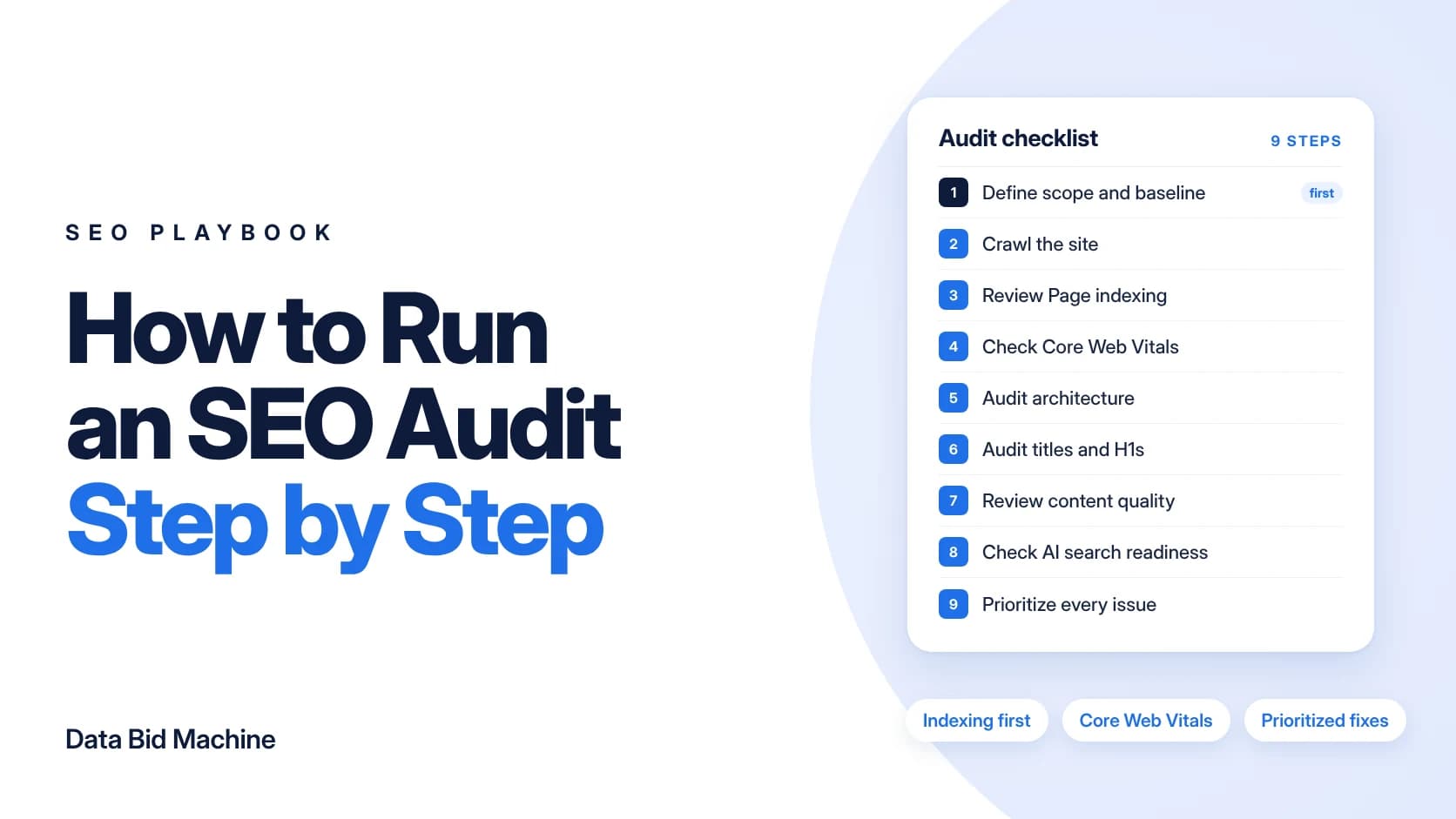
The rest of this guide gives you a ten-area SEO audit checklist with the red flag for each area, then nine steps that take an audit from scope to a prioritized fix list. Every step uses free Google tools plus a site crawler, and every threshold comes from Google's own documentation, linked in the sources.
SEO audit checklist: what to check, where, and the red flags
An SEO audit checklist covers ten areas, each with a place to check it and a red flag that marks a real problem. Work down the table in order, since problems in earlier rows block the rows below them.
| Audit area | What to check | Where to check it | Red flag |
|---|---|---|---|
| Crawl access | robots.txt rules, server errors, crawl rate | Search Console Crawl stats, a site crawler | Key sections disallowed or 5xx errors |
| Indexing | Reasons pages are not indexed | Search Console Page indexing report | Key pages “Crawled - currently not indexed” or marked noindex |
| Canonicals and duplicates | Self-referencing canonicals, duplicate templates | Crawler, URL Inspection tool | “Duplicate without user-selected canonical” on key pages |
| Page experience | LCP, INP and CLS by template | Search Console Core Web Vitals report, PageSpeed Insights | LCP over 2.5 s, INP of 200 ms or more, CLS of 0.1 or more |
| Architecture and links | Orphan pages, click depth, anchor text | Crawler plus sitemap comparison | Orphan revenue pages or JavaScript-only links |
| URLs | Readable words, hyphens, parameters | Crawler | Session IDs or parameter duplicates |
| On-page | Titles, meta descriptions, H1s | Crawler | Missing or duplicate titles and descriptions |
| Content quality | Depth, originality, overlap | Manual review against Google’s helpful content questions | Thin or overlapping pages on one intent |
| Performance trends | Clicks, impressions, CTR by page | Search Console Performance, last 16 months | Steady decline on revenue pages |
| AI search readiness | Answer-first copy, snippet eligibility | Page-level review of key pages | Key content blocked from snippets or rendered only by JavaScript |
Thresholds and report names come from Google’s Core Web Vitals guide and the Page indexing report documentation.
Steps 1 and 2: Define scope and crawl the site
An SEO audit starts by fixing what you will review and collecting the baseline you will measure fixes against. Skipping this step makes it hard to prove later that the work changed anything.
1. Define scope and pull baseline data
An audit scope sets which domains, subdomains and page types you will review. Pull Search Console performance data for the last 16 months, the view Google’s traffic drop guide recommends for spotting yearly patterns. Add GA4 landing page data and a list of your revenue pages. The baseline lets you prove impact after fixes ship.
2. Crawl the site
A full site crawl lists every URL a crawler can reach, with status codes, titles, canonicals and links. Run it with JavaScript rendering on and off to spot content that only appears after rendering. Then compare the crawl with your XML sitemap: URLs that appear in the sitemap but not in the crawl are likely orphan pages with no internal links pointing to them.
- Status codes: flag 4xx and 5xx responses and redirect chains on internal links.
- robots.txt: confirm no important section is disallowed by mistake.
- Canonicals: check that key pages point to themselves, not to another URL.
Step 3: Review the Page indexing report
The Page indexing report in Search Console shows which URLs Google has indexed and why others are excluded (Search Console Help). Focus on your important pages: Google says the goal is to get the canonical version of every important page indexed, and you should not expect every URL on a site to be indexed.
3. Check the reasons pages are not indexed
Open each reason that lists important URLs and decide whether the exclusion is intended. Common reasons to check:
- Crawled - currently not indexed: Google crawled the page but chose not to index it.
- Discovered - currently not indexed: Google found the URL but has not crawled it yet.
- Duplicate without user-selected canonical: Google picked a canonical for you.
- URL marked noindex: a noindex directive blocked indexing.
Use the URL Inspection tool on a sample of affected revenue pages to confirm what Google sees before you log the issue.
Steps 4 and 5: Check page experience and site architecture
Once pages can be indexed, the next checks are how fast and stable they are for real users and whether crawlers and people can reach them through your links.
4. Check Core Web Vitals and page experience
Core Web Vitals measure loading, responsiveness and visual stability for real users. Google’s good thresholds are LCP within 2.5 seconds, INP of 200 milliseconds or less and CLS of 0.1 or less (Google Search Central). Review results by template rather than URL by URL, since one slow template can affect every page built on it.
5. Audit site architecture and internal links
Site architecture decides whether crawlers and people can reach your important pages. Google says every page you care about should have a link from at least one other page on your site, that it can generally only crawl <a> elements with an href attribute, and that good anchor text is descriptive and concise (Google Search Central). Flag orphan pages, navigation built on JavaScript click handlers, and vague anchors such as “click here.” Our guide to website architecture for SEO covers the fixes, from topic hubs to URL structure.
Steps 6 and 7: Audit on-page elements and content quality
On-page and content checks decide whether each indexed page clearly describes its topic and deserves to rank for its intent.
6. Audit titles, meta descriptions and headings
On-page elements tell searchers and search engines what each page covers. Google’s SEO Starter Guide says a good title is unique, clear and concise, and a good meta description is short, unique to the page and covers its most relevant points (Google Search Central). Flag missing, duplicate and truncated titles and descriptions, plus pages with no H1 or several competing H1s.
7. Review content quality and overlap
A content quality review checks whether each page deserves to rank for its intent. Use Google’s helpful content questions, such as whether the content provides original information and a substantial, complete description of the topic (Google Search Central). Then act on what you find:
- Merge pages that target the same intent, and redirect the weaker URL to the stronger one.
- Expand pages that answer their intent thinly.
- Retire pages that serve no searcher and no business goal.
Step 8: Check AI search readiness
AI search readiness means your pages can be found, understood and quoted by AI features in search. Google says there are no additional requirements to appear in AI Overviews or AI Mode: a page must be indexed and eligible to be shown in Google Search with a snippet (Google Search Central). That makes the earlier steps the foundation for AI visibility, too.
8. Review key pages for answer-first content
For each revenue or high-intent page, check three things:
- Snippet eligibility: no nosnippet or noindex directive on content you want quoted.
- Rendering: the main answer appears in the HTML, not only after JavaScript runs.
- Answer-first copy: the first sentence under each heading answers the question on its own.
A page that fails any of these checks is unlikely to be quoted, however strong the rest of its content is.
Step 9: Prioritize fixes by impact and effort
A prioritized fix list turns audit findings into work your team can ship. Without it, an audit is a long report that nobody acts on.
9. Score, sort and assign every issue
Score each issue by pages affected, revenue at risk and effort, then sort indexing blockers to the top. Assign an owner and a target date to every item, and re-check the baseline from step 1 after each batch of fixes ships.
| Column | What it records |
|---|---|
| Issue | The problem, in one plain sentence |
| Affected URLs | Every URL or template the issue touches |
| Evidence | The report, crawl export or screenshot that shows it |
| Impact and effort | Revenue pages at risk and the work needed to fix it |
| Owner and status | Who fixes it and where it stands |
What to deliver: one sheet with those columns, plus a one-page summary for leadership that names the top fixes and why they come first.
Next steps
An SEO audit only pays off when the fixes ship. If organic search is one channel among several, our digital marketing audit checklist extends the same approach to paid media, tracking and conversion.
For a wider view across paid, organic and AI search, start with DBM’s Growth Gap Analysis: a senior strategist reviews visibility, media, conversion paths, tracking and outcome quality, and you get prioritized findings in plain English, ranked by impact and effort. Use it with us, your own team, or another agency. If you want ongoing help with technical foundations and content, DBM’s SEO management team can take the plan forward.
Sources
- Page indexing report, Search Console Help
- Understanding Core Web Vitals and Google search results, Google Search Central
- Link best practices for Google, Google Search Central
- SEO Starter Guide, Google Search Central
- Creating helpful, reliable, people-first content, Google Search Central
- AI features and your website, Google Search Central
- Debugging drops in Google Search traffic, Google Search Central
Sources accessed October 29, 2026.
Frequently asked questions
How often should you run an SEO audit?
As a practitioner rule, run a full SEO audit at least once a year and before any redesign or migration. Check Search Console reports monthly between audits. Large or fast-changing sites benefit from more frequent technical reviews.
What tools do I need for an SEO audit?
You need Google Search Console, GA4, PageSpeed Insights and a site crawler for a solid SEO audit. Search Console covers indexing, Core Web Vitals and performance. A crawler finds broken links, duplicate titles, redirect chains and orphan pages.
How long does an SEO audit take?
An SEO audit takes as long as its scope requires. Crawl size, the number of templates and access to data drive the effort. Reporting and prioritization are part of the work, so plan time for them as well as for the checks.
What is the most important part of an SEO audit?
Indexing is the most important part of an SEO audit, because pages that are not indexed cannot rank. Start with the Page indexing report and robots.txt. Fix those blockers before you work on content or links.
What is the difference between a technical SEO audit and a content audit?
A technical SEO audit checks whether search engines can crawl, render and index your pages. A content audit checks whether those pages answer search intent well enough to rank. A full SEO audit covers both.
Can I do an SEO audit for free?
Yes, you can run a basic SEO audit for free. Google Search Console, PageSpeed Insights and GA4 cost nothing to use. Paid crawlers and SEO platforms mainly add scale, scheduling and backlink data.
About the author: Abdul Hafeez
Contributor, Data Bid Machine
Abdul Hafeez writes about automation, PPC, SEO automation, and practical systems that help marketing teams turn campaign insights into action. His articles explore paid-search strategy, workflow automation, and more efficient ways to manage and improve search marketing.