

PPC
Digital Marketing Audit: The B2B Checklist Before 2027 Planning
Reviewed by Abdel Tefridj · Chief Executive Officer
On this page
The short answer: what is a digital marketing audit?
A digital marketing audit is a structured review of your tracking, channels, website and lead quality that shows what produces pipeline and what wastes budget. B2B teams should run it before 2027 budgets are set, starting with measurement, because every other finding depends on clean conversion data. The output is a ranked list of fixes and a channel budget based on pipeline, not clicks.
Digital marketing audit checklist: what to check and red flags
A B2B digital marketing audit covers nine areas, each with a red flag you can spot quickly. Use this table as your working list.
| Audit area | What to check | Red flag | Where to look |
|---|---|---|---|
| Measurement | Key events, counting, attribution settings | Soft actions such as page views counted as leads | GA4 admin, Google Ads conversion summary |
| Conversion status | Every primary conversion action is recording | “Misconfigured” or “Awaiting conversions” status | Google Ads conversion summary |
| Pipeline connection | Click IDs and CRM stages flow back to ad platforms | Ads optimized to form fills only | CRM fields, Google Ads offline conversion actions |
| Paid search | Search terms, negatives, budget status | High-cost terms with no qualified leads | Search terms report |
| Paid social | Lead quality by campaign and audience | Low cost per lead, few sales-accepted leads | Platform ads manager plus CRM |
| SEO health | Clicks, impressions and indexing of key pages | Important pages excluded from the index | Search Console Performance and Page indexing reports |
| Site experience | Core Web Vitals and landing page match | Slow mobile pages on paid landing pages | PageSpeed Insights, GA4 funnel exploration |
| AI search and content | Snippet eligibility, depth on core topics | Thin pages on many loosely related topics | Search Console, content inventory |
| Budget allocation | Spend share versus pipeline share by channel | Budget set by last year’s split or by clicks | CRM pipeline report, finance spend data |
Sources: Google’s conversion status guide, search terms report, Page indexing report, PageSpeed Insights and AI features guidance. The paid social and budget rows are DBM practitioner checks.
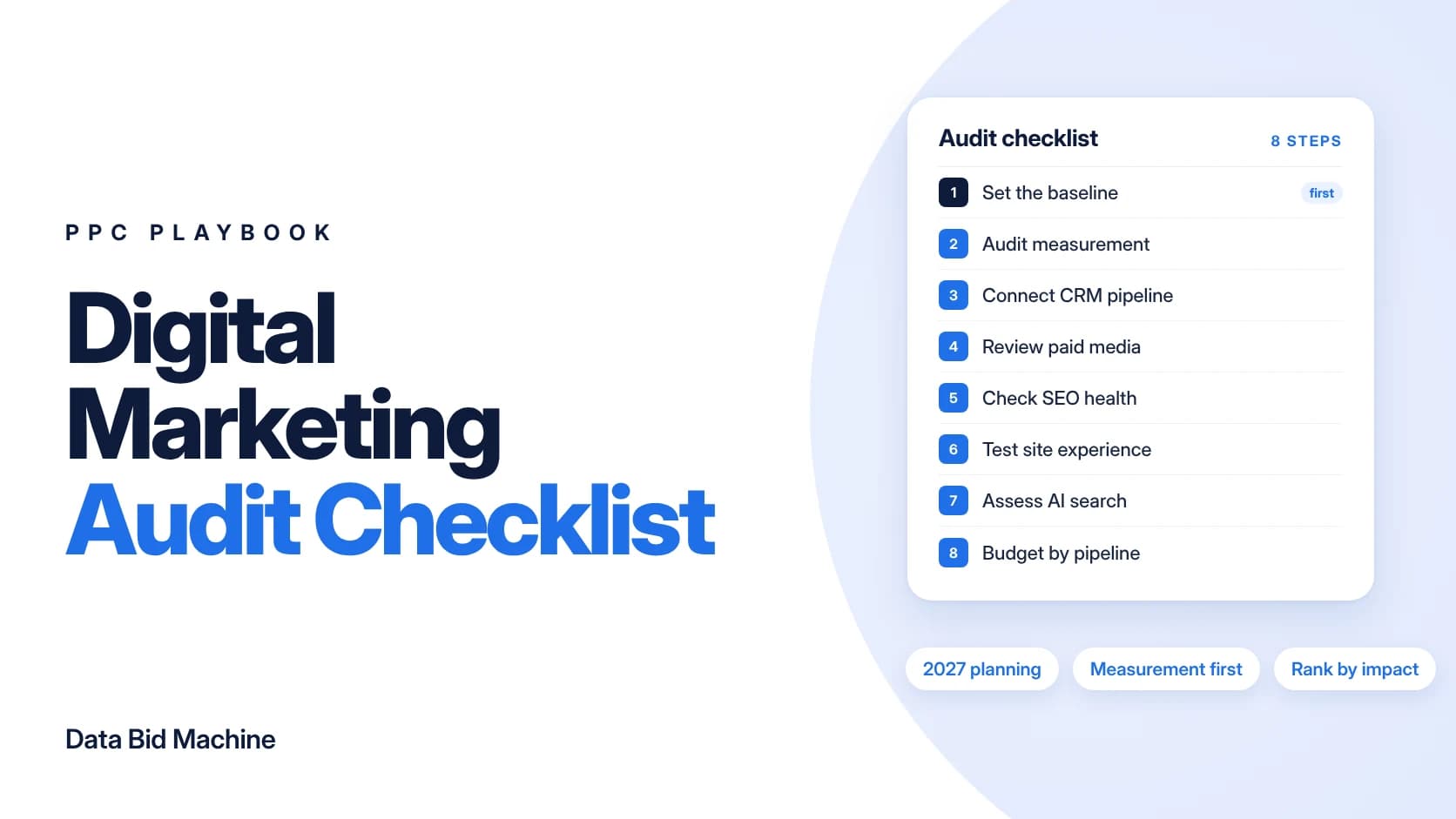
How to run a digital marketing audit before 2027 planning: 8 steps
Run these eight steps in order, from measurement to the final plan, because each one relies on the data checked before it.
1. Set the audit window and baseline
An audit baseline is the date range and metrics every channel is judged against. Use a full year of spend and pipeline, and Search Console’s “Last 16 months” view, which Google recommends for separating seasonal dips from real losses (Google Search Central). The Performance report defaults to the past three months, so widen the range before judging any decline (Search Console Help). Check your GA4 data retention setting before planning any year-over-year comparisons.
2. Audit measurement first
A measurement audit confirms that each conversion counts one real business action, once. Google Ads marks an action “Misconfigured” when recording stops entirely, and “Awaiting conversions” when none were recorded in 7 days (Google Ads Help). Then test each one with Tag Assistant (Google Ads Help).
Align these settings:
- Counting: Google Ads’ “One” setting counts one conversion per ad click and is Google’s suggestion for leads (Google Ads Help).
- Lookback windows: Google Ads uses a 30-day click-through window by default, while GA4 defaults to 90 days for most key events (Google Ads Help; Analytics Help).
- Consent: GA4 DebugView won’t show events from users who haven’t consented to Analytics cookies under consent mode, so test with consent granted (GA4 Help).
3. Connect ad spend to CRM pipeline
Pipeline connection means each CRM lead carries its ad click, and its later stages flow back to the ad platform. Store the GCLID, GBRAID and WBRAID in hidden form fields, then turn on enhanced conversions for leads so the Google tag also sends a hashed email or phone number at form fill (Google Ads Help). Google recommends enhanced conversions for leads over older offline conversion imports, with data uploaded regularly, ideally daily (Google Ads Help).
Create an offline conversion action per CRM stage, such as SQL and closed won, with a lead or order ID, which Google notes prevents duplicate counting (Google Ads Help). Google also advises optimizing to deeper funnel conversions, such as “Qualified Lead” goals (Google Ads Help). Fix this link before setting channel budgets; DBM’s revenue measurement team builds it.
4. Review paid search and paid social
A paid media review finds spend that never reaches qualified pipeline. Sort the Google Ads search terms report by cost and total the spend on irrelevant queries; Google notes the report omits some low-activity terms for privacy (Google Ads Help). Negative keywords don’t match close variants, so add synonyms and plurals yourself (Google Ads Help). See our guide to cutting Google Ads wasted spend beyond negative keywords.
Campaigns marked “Limited by budget” have a budget below what Google needs to show ads in all eligible auctions (Google Ads Help). They are 2027 scaling candidates if their leads qualify. For paid social, join leads to CRM stages by campaign; cheap leads that sales rejects are a cost, not a win.
5. Check SEO health in Search Console
An SEO health check shows whether important pages are indexed and earning clicks. Export clicks, impressions, CTR and position by page from the Performance report (Search Console Help). In the Page indexing report, Google says the goal is the canonical version of every important page indexed, not every URL (Search Console Help). For the full organic review, use our SEO audit checklist.
6. Test site experience on paid and organic landing pages
A site experience review checks whether landing pages load fast and match the ad’s promise. Use PageSpeed Insights field data, drawn from the Chrome UX Report over the previous 28 days; a good score means LCP up to 2,500 ms, INP up to 200 ms and CLS up to 0.1 (PageSpeed Insights). Google Ads Help tells advertisers to choose a landing page that closely matches the ad and keywords (Google Ads Help). Then map landing page to thank-you page in a GA4 funnel exploration, which supports up to 10 steps (Analytics Help).
7. Assess AI search visibility and content
AI search visibility is whether your pages get found and cited when AI features answer buyer questions. Google says there are no additional requirements to appear in AI Overviews or AI Mode beyond being indexed and eligible to show a snippet, and that you need no new machine-readable files, AI text files or markup to appear (Google Search Central). Google also says these features may use query fan-out, running multiple related searches across subtopics and data sources.
For content, apply Google’s helpful content questions, such as whether a page offers original information and analysis (Google Search Central). As a practitioner rule, merge and rewrite thin pages on overlapping topics before deleting anything.
8. Reallocate budget by pipeline
Pipeline-based allocation sets each channel’s 2027 budget by its share of qualified pipeline, not clicks or last year’s split. As a practitioner rule, compare each channel’s spend share with its sales-accepted pipeline share, and shift budget in steps. Google recommends waiting one to two conversion cycles before judging a change (Google Ads Help).
Why Google Ads and GA4 numbers won’t match exactly
Some disagreement between platforms is normal, so audit for large or unexplained gaps rather than an exact match. Google says discrepancies of up to 20% between Google Ads and Analytics are common because of different attribution models (Google Ads Help).
Before you flag a gap as a tracking fault, check three things:
- Attribution and lookback windows: the 30-day Google Ads default and the 90-day GA4 default credit different sets of conversions.
- Counting: a lead action set to “Every” in one tool and “One” in another will inflate one side.
- Dates: Google Ads assigns conversions to the date of the ad click, not the date the conversion happened (Google Ads Help).
If the gap remains large after these checks, go back to step 2 and retest the tags.
How to rank findings and build the 2027 plan
Rank every finding on impact and effort, then sequence the work by quarter, with measurement fixes first.
| Priority | What to do | Example |
|---|---|---|
| High impact, low effort | Do it in Q1 | Fixing broken conversion actions |
| High impact, high effort | Budget for it in the 2027 plan | CRM integration with ad platforms |
| Low impact | Batch it or defer it | Minor settings cleanup |
What to measure once the plan is live:
- Cost per sales-accepted lead by channel.
- Lead-to-opportunity rate by source.
- The share of spend with a CRM stage attached.
Next steps
Run the audit before 2027 budget numbers are locked. In DBM’s Growth Gap Analysis, a senior strategist reviews your visibility, media, conversion paths, tracking and outcome quality. It covers visibility gaps across paid, organic and AI search, wasted spend in actual dollars, tracking gaps, conversion friction and what AI engines say about you. You get a prioritized plan in plain English, ranked by impact and effort, that you can use with DBM, your own team or another agency.
Sources
- Best practices for generating high-quality leads, Google Ads Help
- Understand your conversion tracking data, Google Ads Help
- Troubleshooting conversion tracking status, Google Ads Help
- Use Tag Assistant to troubleshoot your unverified or inactive conversion actions, Google Ads Help
- About conversion counting options, Google Ads Help
- About conversion windows, Google Ads Help
- Attribution settings, Analytics Help
- Monitor events in DebugView, GA4 Help
- About enhanced conversions for leads, Google Ads Help
- How to upgrade offline imports, Google Ads Help
- Performance Max best practices for lead generation, Google Ads Help
- About the search terms report, Google Ads Help
- About negative keywords, Google Ads Help
- Fix “Limited by budget” bid adjustments, Google Ads Help
- FAQs about changes to Target-based bid strategies, Google Ads Help
- Understand conversions by time with new columns, Google Ads Help
- Optimize your ads and landing pages, Google Ads Help
- Performance report (Search results), Search Console Help
- Page indexing report, Search Console Help
- Debugging drops in Google Search traffic, Google Search Central
- AI features and your website, Google Search Central
- Creating helpful, reliable, people-first content, Google Search Central
- About PageSpeed Insights, Google for Developers
- Funnel exploration, Analytics Help
Sources accessed October 29, 2026.
Frequently asked questions
What is a digital marketing audit?
A digital marketing audit reviews tracking, channels, website and lead quality to show what drives pipeline and what wastes budget. It ends in a ranked list of fixes and a channel budget based on pipeline.
What should a B2B marketing audit checklist include?
A B2B marketing audit checklist covers measurement, CRM pipeline connection, paid media, SEO, site experience, AI search, content and budget allocation. Start with measurement, since every other finding relies on it.
When should I run a marketing audit before budget planning?
Run a marketing audit early enough that its findings can change the budget, before the numbers are locked. Leave time to fix broken tracking first, because channel budgets set on bad conversion data repeat last year’s mistakes.
Why don’t Google Ads and GA4 conversions match?
Google Ads and GA4 differ in attribution, counting and dates. Google says discrepancies of up to 20% are common, and Google Ads assigns conversions to the date of the ad click.
Do I need special markup to appear in AI Overviews?
No. Google says pages need only be indexed and eligible to show a snippet, and that you do not need new AI text files or markup. Focus on organic basics and helpful content instead.
How do I turn audit findings into a 2027 plan?
Score each finding on impact and effort, then sequence the work by quarter. Fix measurement first and set channel budgets by each channel’s share of qualified pipeline.
About the author: Abdul Hafeez
Contributor, Data Bid Machine
Abdul Hafeez writes about automation, PPC, SEO automation, and practical systems that help marketing teams turn campaign insights into action. His articles explore paid-search strategy, workflow automation, and more efficient ways to manage and improve search marketing.