

SEO
Content Audit: How to Audit Your Content Marketing in 9 Steps
Reviewed by Abdel Tefridj · Chief Executive Officer
On this page
The short answer: what is a content audit?
A content audit is a page-by-page review of everything you have published, ending with one action for each URL: keep, update, consolidate, redirect or remove. You list every published URL, attach search and conversion data to each one, and judge quality with Google's people-first content questions, not word counts. A content marketing audit should end with a dated update plan that names an owner for every page.
Content audit decision matrix: signals and actions
A content audit decision matrix tells you which action each page earns, based on its traffic, conversions and quality. Use the table below as the rule set, then apply it page by page.
| Page signal | What it usually means | Action | Red flag to check first |
|---|---|---|---|
| High clicks, high conversions, current facts | The page works | Keep and protect | Outdated statistics or year references |
| High impressions, low CTR | Title or snippet misses intent | Update title, meta description and opening answer | Mismatch between the page and the queries it shows for |
| Clicks declining over 6 to 12 months | Content or competitors moved on | Update and expand | A tracking or site change on the date the decline started |
| Two or more pages on the same topic | Pages compete with each other | Consolidate into one, redirect the rest | Both pages earn backlinks or conversions |
| No clicks, no links, no conversions, off-topic | Page adds no value for readers | Redirect to the closest page or remove | Page supports sales or customer success |
| Low traffic, strong conversion assists | Small audience, high intent | Keep, and add internal links to it | Attribution gaps hiding its value |
| Thin, generic or AI-summary content | Fails people-first quality questions | Rewrite with original expertise | Author and date missing on the page |
Google's guidance asks whether content provides original information, reporting, research or analysis (Google Search Central). Pages that fail that question move to "rewrite" even when their traffic looks fine.
Traffic is not the only value signal. A post with a small, steady audience that keeps appearing before demo requests can be worth more than a high-traffic post that never touches pipeline, so read the conversion columns before you cut anything.
How to audit your content marketing: 9 steps
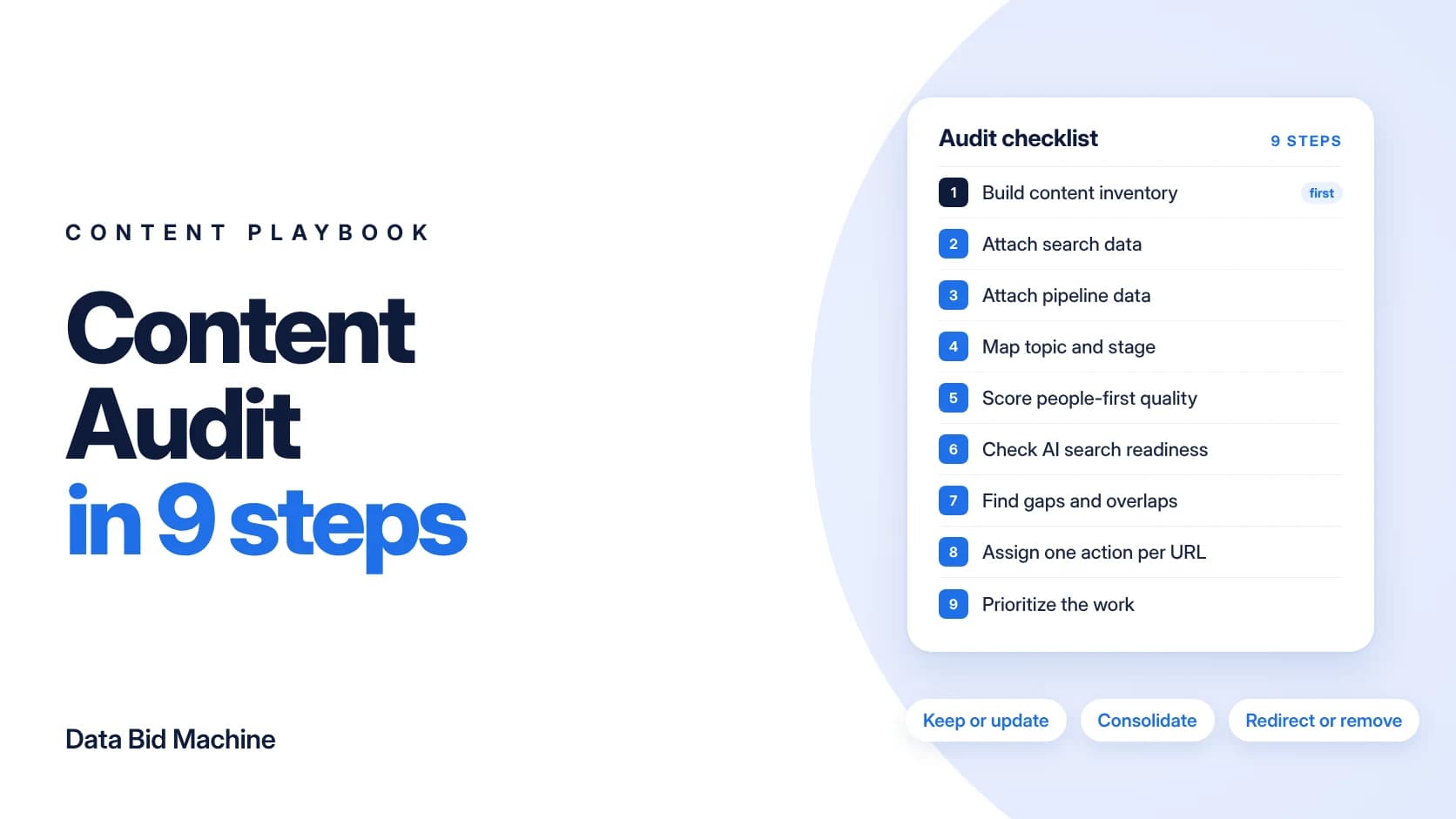
A content marketing audit follows nine steps, from inventory to a dated plan. Each step adds one or more columns to the same audit sheet.
1. Build a complete content inventory
A content inventory is a list of every indexable URL with its title, publish date, author, topic and template. Crawl the site with a crawler such as Screaming Frog, whose free version crawls up to 500 URLs (Screaming Frog). Add your XML sitemap and a CMS export to catch orphan pages the crawl misses.
2. Attach search performance data
Search performance data shows how each page earns attention in Google. Export clicks, impressions, CTR and average position by page from the Search Console Performance report. The report defaults to the past three months, so set a longer range and compare the same periods year over year (Search Console Help).
3. Attach conversion and pipeline data
Conversion data shows which content produces business, not just visits. Pull key events by landing page from GA4, then match form fills to CRM opportunities where you can. Flag pages that assist conversions even when they rarely get the last click.
- Direct: form submits and demo requests that start on the page.
- Assisted: sessions that touch the page before a later conversion.
- Pipeline: opportunities and revenue tied to leads from the page.
4. Map each page to a topic and funnel stage
Topic and funnel mapping exposes gaps and overlaps in your content. Tag each URL with one primary topic and one stage: awareness, consideration or decision. Then count pages per stage; if nearly everything sits in awareness, check whether buyers can find comparison, pricing and implementation answers at all.
5. Score quality with Google's people-first questions
Content quality is best judged against Google's own self-assessment questions. Google asks whether content offers original analysis, whether it looks produced well or hastily, and whether it mainly summarizes what others say without adding much value (Google Search Central). Score each page pass or fail on those questions, and record whether the author and date are visible on the page.
6. Check AI search readiness
AI search readiness is whether an answer engine can lift a clean, sourced answer from the page. Check for a direct answer near the top, section openers that make sense on their own, tables for comparisons, cited sources and an FAQ. A page that buries its answer under a long introduction is harder to quote.
7. Find gaps and overlaps
Content gaps are buyer questions you have no page for, and overlaps are topics where two pages compete. Compare your topic map with the Search Console queries that send impressions to unrelated pages. Ask sales and support for the questions prospects raise most, then check whether a page answers each one.
- Gap: a buyer question with no page, or only a passing mention.
- Overlap: two URLs ranking for the same query in different weeks.
8. Assign one action per URL
Every URL in the audit gets one action from the decision matrix: keep, update, consolidate, redirect or remove. Google cautions against removing a lot of older content primarily because you believe it will help your search rankings (Google Search Central), so remove only pages with no reader, link or sales value. When you consolidate, 301-redirect the retired URL to the surviving page.
9. Prioritize and schedule the work
A content audit only pays off when the actions are scheduled with owners and dates. Rank updates by expected impact: pages with high impressions and low CTR first, then decliners with conversion history. Do not change a page's date unless the content has changed in substance; Google lists changing dates to make pages seem fresh as a warning sign (Google Search Central).
What to measure: clicks, conversions and assisted pipeline for each updated page, compared with its own baseline about 90 days after the change.
What goes in the content audit sheet
The finished content audit sheet has one row per URL and one column group per step, so every decision can be traced back to its data.
| Column group | What it holds | Where it comes from |
|---|---|---|
| Inventory | URL, title, publish date, author, template | Crawler, XML sitemap, CMS export |
| Search | Clicks, impressions, CTR, average position, year-over-year change | Search Console Performance report |
| Business | Direct conversions, assisted conversions, pipeline | GA4 key events, CRM |
| Mapping | Primary topic, funnel stage | Your own tagging |
| Quality | Pass or fail on people-first questions, author and date visible | Manual review |
| AI readiness | Direct answer, tables, sources, FAQ | Manual review |
| Decision | Action, target URL for redirects, owner, due date | Steps 7 to 9 |
Keep the sheet after the audit. Re-running the search and business columns later shows whether each update worked.
How often to run a content audit
A common rhythm for B2B teams is a full content audit once a year and a lighter performance check every quarter. Use these triggers to decide when to run one sooner:
- Fast-moving topics: pages about ad platform features or product releases go stale quickly and need more frequent review.
- Before a redesign or migration: the audit decides which URLs move, merge or redirect. Our guide to website migration without losing traffic or tracking covers the move itself.
- After an unexplained decline: when clicks fall across a section, check tracking and site changes first, then audit the affected pages.
Content audit vs SEO audit
A content audit judges each page's quality, purpose and business value, while an SEO audit checks technical health such as crawling, indexing and speed. The two overlap on titles, duplication and internal links, so run them together when you can.
| Content audit | SEO audit | |
|---|---|---|
| Main question | Is this page worth keeping, and what should change? | Can search engines crawl, index and understand the site? |
| Unit of review | Each URL and its business value | Site-wide templates and settings |
| Typical output | Keep, update, consolidate, redirect or remove per URL | Technical fixes ranked by impact |
Our SEO audit checklist covers the technical side.
Next steps
Start with the inventory and Search Console data this week, then work through the decision matrix one section of the site at a time. If you want an outside view first, DBM's Growth Gap Analysis has a senior strategist review visibility, media, conversion paths, tracking and outcome quality, then walk you through prioritized findings in plain English. Use it with us, your own team or another agency. It's yours.
For ongoing help, DBM's SEO management service covers technical foundations, content strategy and intent-based measurement.
Sources
Frequently asked questions
How often should you audit your content marketing?
A common approach is a full content audit once a year and a lighter performance check every quarter. Fast-moving topics, such as ad platform features, need more frequent review. Always audit before a redesign or migration.
What tools do you need for a content audit?
A content audit needs a crawler, Google Search Console, GA4 and your CRM. Screaming Frog's free version crawls up to 500 URLs, which covers many smaller sites. A spreadsheet holds the inventory and the action column.
Should I delete old blog posts with no traffic?
Delete or redirect old posts only when they have no traffic, no links and no sales value. Google cautions against removing a lot of older content primarily to help search rankings. Update or consolidate first when the topic still matters to buyers.
What is the difference between a content audit and an SEO audit?
A content audit judges each page's quality, purpose and business value, while an SEO audit checks technical health such as crawling, indexing and speed. They overlap on titles, duplication and internal links. Most sites benefit from running both.
How long does a content audit take?
A content audit takes as long as the number of URLs and the depth of review require. Collecting data is fast; judging quality page by page takes most of the time. Larger sites should audit one section at a time.
Does updating old content improve rankings?
Updating old content can help when the update adds substance, such as new data, clearer answers or better coverage. Changing only the date does not count, and Google lists it as a warning sign. Measure each update against its own baseline after about 90 days.
About the author: Abdul Hafeez
Contributor, Data Bid Machine
Abdul Hafeez writes about automation, PPC, SEO automation, and practical systems that help marketing teams turn campaign insights into action. His articles explore paid-search strategy, workflow automation, and more efficient ways to manage and improve search marketing.